Beginner Workout at Home
Browse home workout routines and keep a record of sessions.
View on the App StoreThis app is developed by SFByte.
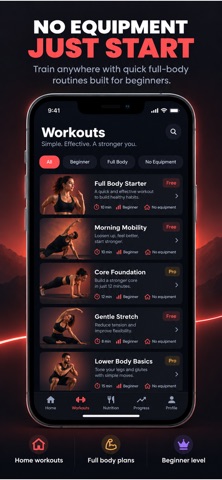
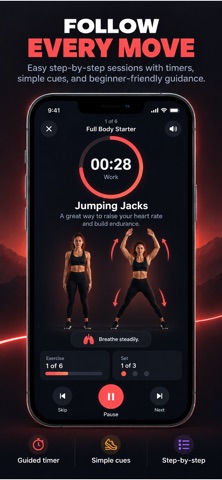
Features and details from the App Store listing
Home Workout. Real Results.
Burn fat, lose weight, and build muscle at home — no equipment needed.
Burnix is a simple and powerful home workout app designed to help you get in shape fast with short, effective daily workouts.
Whether you’re just starting or already active, Burnix keeps you consistent with guided routines and clear goals.
WORKOUT ANYTIME
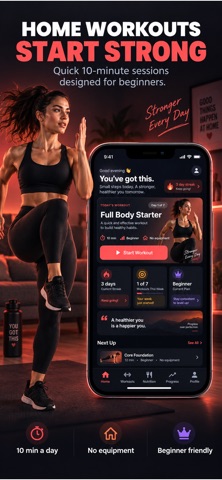
• No equipment required
• Train at home or anywhere
• 12-minute quick workouts
• Step-by-step guided sessions
• Programs for fat loss, strength, and mobility
SEE RESULTS FAST
• Structured plans that keep you progressing
• Daily workouts that build consistency
• Track your improvement over time
• Stay motivated with streaks and goals
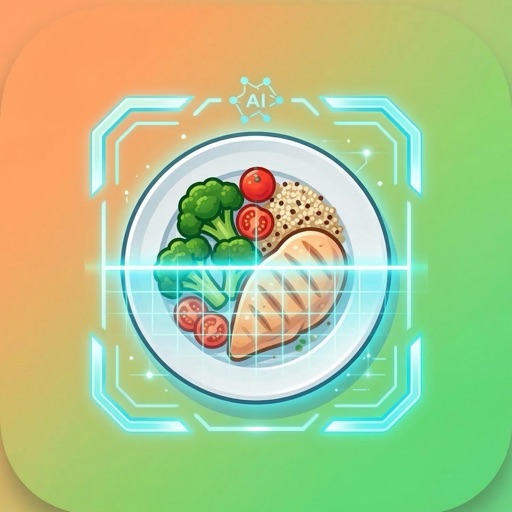
AI MEAL SCANNER
• Scan your meals in seconds
• Get instant calorie estimates
• Understand what you eat
• Unlock full nutrition (protein, carbs, fat) with premium
STAY CONSISTENT
• Daily reminders
• Simple progress tracking
• Clear workout plans
• Designed to keep you moving every day
WHY BURNIX
• Clean and easy to use
• Built for real results
• Beginner to advanced friendly
• All-in-one: workouts, nutrition, progress
Start your fitness journey today with just minutes a day.
SUBSCRIPTION
Burnix offers premium features for advanced workouts and full nutrition tracking.
Payment will be charged to your Apple ID account at confirmation of purchase. Subscription renews automatically unless canceled at least 24 hours before the end of the current period. You can manage and cancel your subscription in your App Store account settings.
Privacy Policy
https://www.zenbyte.app/burnix/privacy.html
Terms of Use
https://www.apple.com/legal/itunes/appstore/dev/stdeula/
Popular uses
- Keep consistent personal activity or routine records.
- Review entries and app permissions before comparing records over time.
How to get started
- Read how the app obtains its data and what input it needs from you.
- Set up a small logging routine and check dates, units, and permissions.
- Review the saved entries and any available export controls before relying on a long history.
Common questions and problems
Two apps show different values
Compare their data sources, time periods, and settings. Similar labels do not establish identical measurements.
An entry is missing
Check the relevant permission or manual-entry workflow and the date range being displayed.
App details
- Category
- Health & Fitness
- Current version
- 1.4.5
- Store information checked
- Sep 30, 2026
Availability
Requires iOS 13.0. Availability and pricing may vary by region.