Night Light Reading Lamp
Use a screen light for a nighttime reading setup.
View on the App StoreThis app is developed by SFByte.
Features and details from the App Store listing
Night Reader Book Light
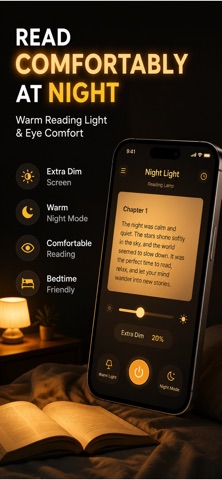
Read comfortably at night and capture what matters
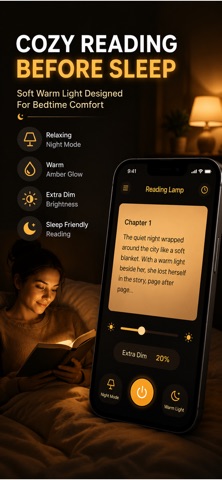
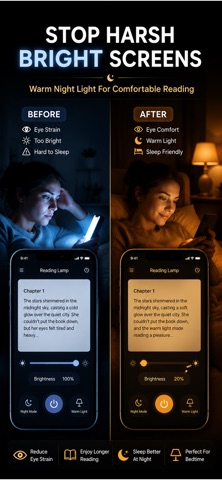
Night Reader transforms your iPhone into a soft, eye-friendly reading light designed for books, notes, and focused reading sessions. No harsh flashlight. No distractions. Just a warm, adjustable light that helps you read longer without eye strain.
But this is more than a light.
While reading, instantly save pages you love and turn them into your personal knowledge library. Capture ideas, add notes, and organize everything in one place.
Simple. Private. Powerful.
KEY FEATURES
Night Reading Light
Soft warm tones designed for comfortable night reading
Adjust brightness and color intensity easily
Clean minimal interface with zero distractions
Optimized for long reading sessions
Capture Pages Instantly
Take a photo of any page while reading
Save important highlights in seconds
Add personal notes to every capture
Never lose valuable ideas again
Build Your Personal Library
Organize captures by book
Keep all your reading insights in one place
Quickly browse and revisit saved content
Create your own knowledge archive
Focus and Reading Sessions
Track your reading sessions automatically
Stay focused with a distraction free environment
Build a consistent reading habit over time
Privacy First
No account required
No data collection
Everything stays on your device
PREMIUM FEATURES
Unlimited page captures
Unlimited library storage
Advanced organization tools
Export your reading notes
Designed for readers, students, and anyone who wants to remember what they read.
Start reading smarter today.
Terms of Use
https://www.apple.com/legal/itunes/appstore/dev/stdeula/
Privacy Policy
https://www.emzirmetakibi.com/readlight/privacy.html
Popular uses
- Set up the specific household or organizational task described in the listing.
- Keep a simple reference of the settings or records that made the task work.
How to get started
- Check compatibility and access requirements for the exact task.
- Try a small example and verify the result against the source or device you control.
- Review saved settings, exports, and support information before making the app part of a regular routine.
Common questions and problems
The app cannot access the expected device or data
Check its documented compatibility, connection, and permission requirements.
A result needs verification
Compare it with the original input or a suitable authoritative source. An app result does not automatically establish that a label, estimate, or record is correct.
App details
- Category
- Utilities
- Current version
- 1.0.2
- Store information checked
- Sep 30, 2026
Availability
Requires iOS 16.0. Availability and pricing may vary by region.