Remote Control Tv & Webos
Control a compatible WebOS television over the local network.
View on the App StoreThis app is developed by SFByte.
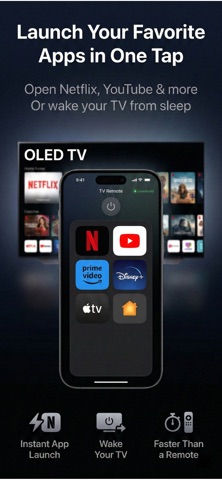
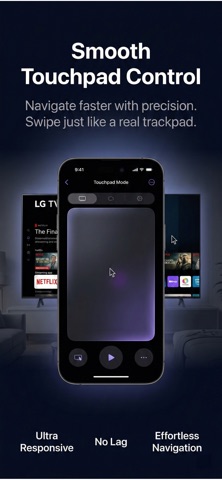
Features and details from the App Store listing
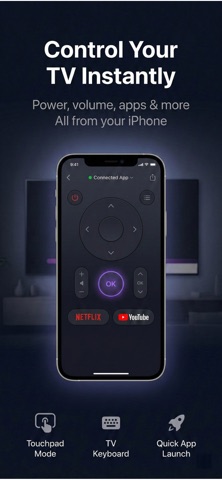
Turn your iPhone into a powerful remote for your WebOS TV.
Control your TV instantly over the same Wi-Fi network. No cables. No accounts. No ads. Just smooth and reliable control.
a
Whether you lost your remote or want a faster way to navigate, this app gives you full control in seconds.
KEY FEATURES
• D-Pad navigation
• Volume and channel control
• Power on and off
• Touchpad mode for smooth cursor control
• Full iPhone keyboard input for TV search
• One-tap app launch (Netflix, YouTube and more)
• Wake your TV from sleep
• Support for multiple TVs
PREMIUM UNLOCKS
Upgrade to Pro for unlimited control and advanced features:
• Unlimited commands
• Touchpad mode
• TV keyboard input
• Quick app shortcuts
• Auto reconnect
• Multi-TV support
• No limitations
FREE VERSION
The free version includes limited daily commands so you can test the app before upgrading.
WORKS LOCALLY
This app connects directly to your WebOS TV on the same Wi-Fi network.
No cloud connection. No tracking. No sign-in required.
REQUIREMENTS
• TV with WebOS
• TV and iPhone must be on the same Wi-Fi network
• “TV Connect Apps” enabled on your TV
SUBSCRIPTION
Pro features are available with monthly or yearly plans. A lifetime option is also available as a one-time purchase.
Subscriptions automatically renew unless canceled at least 24 hours before the end of the current period. You can manage or cancel your subscription anytime in your App Store account settings.
Privacy Policy: https://www.emzirmetakibi.com/lgtvcontrol/privacy.html
Term of use : http://apple.com/legal/itunes/appstore/dev/stdeula/
Popular uses
- Set up the specific household or organizational task described in the listing.
- Keep a simple reference of the settings or records that made the task work.
How to get started
- Check compatibility and access requirements for the exact task.
- Try a small example and verify the result against the source or device you control.
- Review saved settings, exports, and support information before making the app part of a regular routine.
Common questions and problems
The app cannot access the expected device or data
Check its documented compatibility, connection, and permission requirements.
A result needs verification
Compare it with the original input or a suitable authoritative source. An app result does not automatically establish that a label, estimate, or record is correct.
App details
- Category
- Utilities
- Current version
- 1.0.1
- Store information checked
- Sep 30, 2026
Availability
Requires iOS 16.0. Availability and pricing may vary by region.