Muslim Focus: Prayer Lock
Add an intentional pause before opening distracting apps.
View on the App StoreThis app is developed by SFByte.
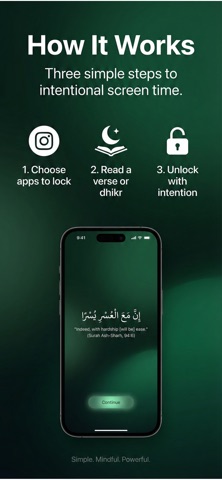
Features and details from the App Store listing
Pray Lock helps you control social media by turning every unlock into intention.
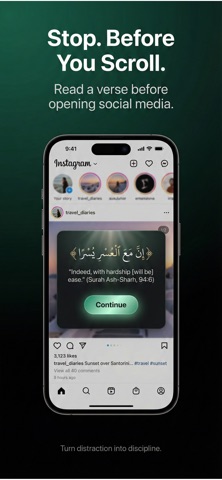
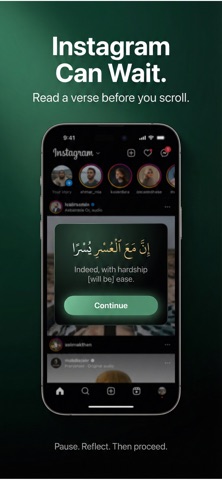
Before opening Instagram, TikTok, or any distracting app, pause for a short verse and dhikr.
Build digital discipline with faith.
We don’t just block apps.
We help you use your phone with awareness.
Pray Lock transforms screen time into a moment of reflection.
Each time you try to open a selected app, you’ll complete a short intention flow before access is granted.
No guilt.
No extreme restrictions.
Just conscious use.
How It Works
Choose the apps that distract you the most
When you try to open them, a short verse and dhikr appear
Complete the intention to unlock
Use the app with awareness
After unlocking, you get a limited grace period.
If you leave the app or time runs out, it locks again.
Key Features
• Islamic screen time blocker
• Mood-based verses and dhikr
• 10-minute unlock grace period
• Smart re-lock after background use
• Nafs Score to track your discipline
• Streak system to build consistency
• Private and fully on-device
Designed for Muslims
Pray Lock is built for those who want to:
• Reduce social media distraction
• Strengthen self-control
• Remember Allah before digital use
• Build daily discipline
This is not just an app blocker.
It’s a digital discipline tool rooted in faith.
Privacy First
We do not collect personal data.
All your activity and unlock history stay on your device.
Take control of your screen time.
Turn every unlock into intention.
Privacy Policy:https://www.emzirmetakibi.com/praylock/privacy.html
Term Of Use: https://www.apple.com/legal/itunes/appstore/dev/stdeula/
Popular uses
- Set up one repeatable routine around a clear task.
- Review whether reminders and records help you complete the work you intended.
How to get started
- Choose one task and configure the relevant timer, reminder, planner, or text workflow.
- Check notification and access settings with a small example.
- Review the result after the session and adjust the routine before adding more tasks.
Common questions and problems
A reminder did not appear
Check notification permissions, device focus settings, and the app’s current scheduling instructions.
The routine is too complicated to maintain
Reduce the setup to one clear action and a useful review point. Add detail only when it helps your actual task.
App details
- Category
- Reference
- Current version
- 1.0.5
- Store information checked
- Sep 30, 2026
Availability
Requires iOS 16.0. Availability and pricing may vary by region.