
Password Manager:2Passw
Organize passwords in a dedicated local password manager.
View on the App StoreThis app is developed by SFByte.
Features and details from the App Store listing
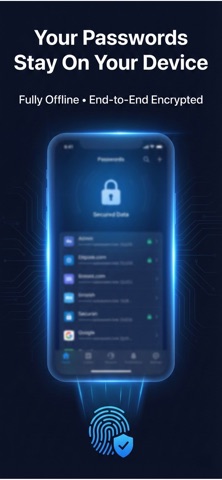
Your Passwords. Fully Offline. Fully Private.
Password Manager: 2Passw is built for people who take privacy seriously.
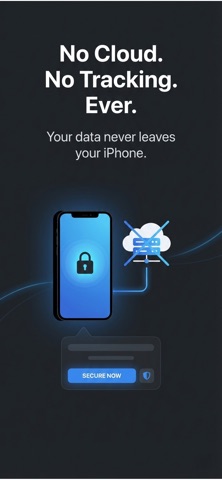
Your passwords are stored only on your iPhone — never on a server.
No cloud syncing.
No accounts.
No tracking.
No data collection.
Just secure local protection.
Why Offline Matters
Most password apps rely on cloud servers.
If a server is breached, your data could be exposed.
1Passw works differently.
Everything is encrypted and stored directly on your device.
If it’s not on your phone, it doesn’t exist.
Even we cannot access your information.
Securely Store & Autofill Anywhere
Save your logins once and access them instantly.
• Store usernames and passwords securely
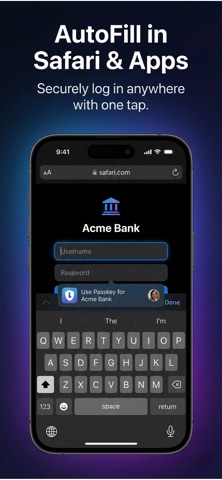
• AutoFill in Safari and apps
• Copy passwords with automatic clipboard clearing
• Generate strong passwords in seconds
• Fast search for quick access
Simple interface. Serious security.
Strong Encryption Protection
Your vault is protected with advanced encryption and secured with:
• Face ID / Touch ID
• Master password
• Auto-lock protection
Your data stays protected — even if your device is lost.
Upgrade to Premium
Unlock the full experience:
• Unlimited vault items
• AutoFill support
• Advanced clipboard protection
• Enhanced security controls
Cancel anytime via the App Store.
Built for Simplicity
No clutter.
No complicated dashboards.
No unnecessary features.
Just a clean, fast, and secure vault designed to protect what matters most.
Download Password Manager: 2Passw today and take control of your digital security.
Term Of Use:https://www.apple.com/legal/itunes/appstore/dev/stdeula/
Privacy Policy:https://www.emzirmetakibi.com/passwordmanager/privacy.html
Popular uses
- Review a specific privacy task and the permissions it requires.
- Keep recovery and support information accessible before changing a setting.
How to get started
- Read the current listing and privacy policy for the exact protection the app describes.
- Configure one supported task and check that the intended service or workflow still works.
- Review exclusions, recovery options, and support instructions before broadening the setup.
Common questions and problems
A setting interferes with a site or service
Review the app’s documented controls and change one setting at a time. Keep a way to return to the previous working setup.
A protection claim seems broader than the listing
Use the specific documented scope. A browser, filter, or password tool does not automatically protect every activity on a device.
App details
- Category
- Productivity
- Current version
- 1.0.2
- Store information checked
- Sep 30, 2026
Availability
Requires iOS 16.0. Availability and pricing may vary by region.