DJ Mixer - Mix Music & Remix
Combine tracks with a two-deck mixer and automatic mixing options.
View on the App StoreThis app is developed by SFByte.
Features and details from the App Store listing
MixDrop: DJ Mixer & Auto Mix
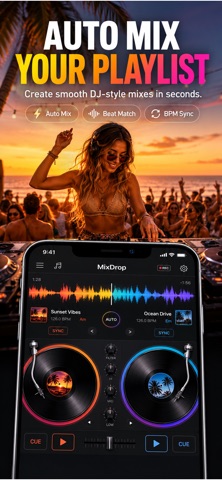
Create professional DJ mixes in seconds or take full control with a powerful two-deck mixer.
MixDrop is a modern DJ mixing app designed for beginners, music lovers, and aspiring DJs. Whether you want automatic seamless transitions or complete manual control, MixDrop gives you everything you need to build smooth, great-sounding mixes directly on your iPhone.
No account required.
No ads.
Your music stays on your device.
AUTO MIX
• Create smooth mixes automatically
• Intelligent BPM detection
• Harmonic key analysis (Camelot)
• Beat-matched transitions
• Multiple transition styles
• Preview before exporting
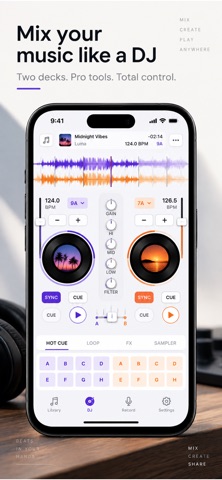
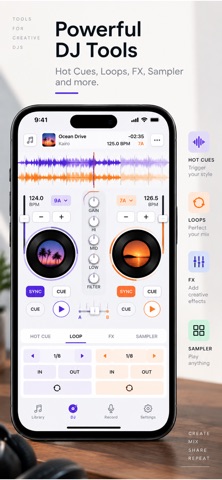
MANUAL DJ MODE
Take full control with a professional dual-deck mixer.
Features include:
• Two independent decks
• Real-time waveforms
• Crossfader
• Pitch control
• BPM sync
• Key Lock
• Cue points
• Hot Cues
• Beat loops
• Gain control
• High, Mid and Low EQ
• DJ Filter
• Split Cue monitoring
• Live recording
IMPORT YOUR MUSIC
Import your own audio files from:
• Files
• iCloud Drive
• AirDrop
• Local storage
Supported formats include:
• MP3
• AAC
• WAV
• AIFF
• ALAC
• M4A
SMART MUSIC ANALYSIS
Every imported track is automatically analyzed and cached for instant access.
MixDrop detects:
• BPM
• Musical Key
• Beat Grid
• Waveform
• Gain normalization
Once analyzed, tracks are ready instantly the next time you load them.
RECORD YOUR MIXES
Capture every performance with high-quality recording.
• Record live DJ sets
• Replay recordings anytime
• Rename mixes
• Share with friends
• Export in multiple formats
• Organize your recordings
FAST EXPORTS
Export your finished mixes in high quality.
Available export formats include:
• AAC
• WAV (Premium)
• AIFF (Premium)
• ALAC (Premium)
Designed for fast, reliable exports without unnecessary complexity.
BUILT FOR PERFORMANCE
MixDrop is powered by a native low-latency audio engine optimized for real-time DJ performance.
• Smooth waveform rendering
• Responsive controls
• Low-latency playback
• Optimized audio processing
• Offline-first architecture
PREMIUM FEATURES
Unlock the complete DJ experience:
• Unlimited exports
• High-quality audio formats
• Advanced DJ tools
• Professional recording
• Premium transitions
• Future feature updates
Whether you're practicing at home, creating party mixes, preparing playlists, or recording live DJ sessions, MixDrop makes professional-quality mixing simple and enjoyable.
Privacy Policy:
https://www.zenbyte.app/djmixer/privacy.html
Terms of Use (EULA):
http://apple.com/legal/itunes/appstore/dev/stdeula/
Popular uses
- Organize a local recording or audio file you have permission to use.
- Check a listening or editing result before relying on it away from your device.
How to get started
- Start with a supported local file or the input described in the listing.
- Preview the relevant listening or editing controls at a comfortable level.
- Confirm the saved or prepared result using the destination where you intend to play it.
Common questions and problems
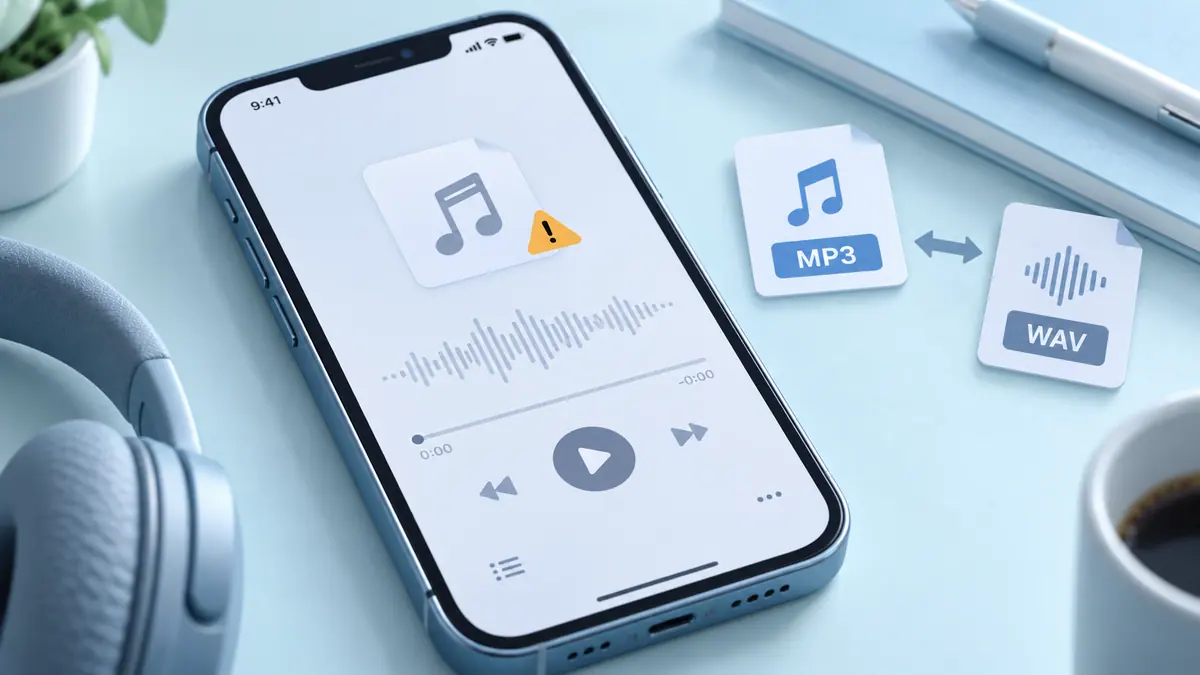
A file does not play
Check that the full file is available and supported. A streaming-service cache is not necessarily an ordinary transferable audio file.
The result has unexpected timing or sound
Compare with the original and inspect the actual saved result, rather than relying only on the project preview.
App details
- Category
- Music
- Current version
- 1.4.2
- Store information checked
- Sep 30, 2026
Availability
Requires iOS 17.0. Availability and pricing may vary by region.