Ebru Art ◎ Relaxing Hobby
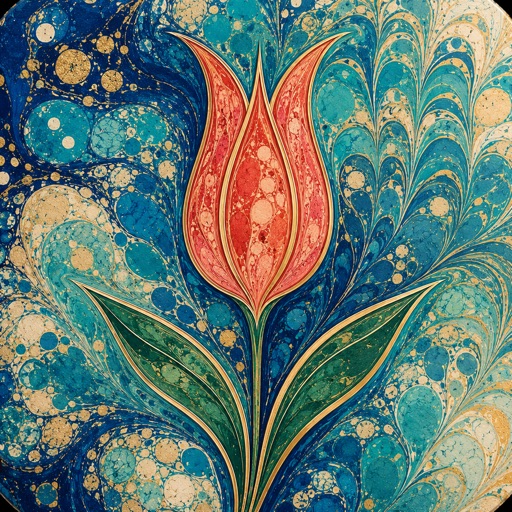
Explore digital marbling inspired by Turkish ebru art.
View on the App StoreThis app is developed by SFByte.
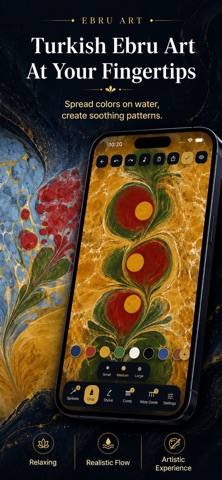
Features and details from the App Store listing
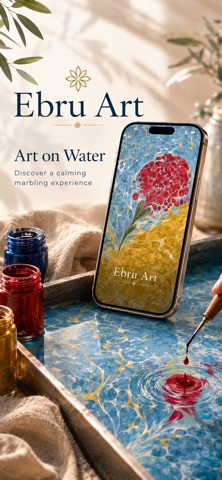
Ebru is the centuries old Turkish art of painting on water. Drops of colour bloom across a thickened bath, swirl into flowers and stone patterns, then lift onto paper as a one of a kind print. Ebru Art brings this calming craft to your fingertips. No mess, no waiting, just you and the water.
A relaxing hobby that fits in your pocket. Soft music and gentle water sounds settle your mind while colour spreads under your touch. Many people find a few quiet minutes of marbling calmer than a meditation app. There is no wrong move here, only colour and flow.
What makes it special:
Real ebru feel. Drop, pull, comb and swirl pigment that floats, spreads and blends with lifelike surface tension, exactly as paint behaves on a real marbling tray.
Undo anything. Change your mind as often as you like and try a new path. Every step is reversible.
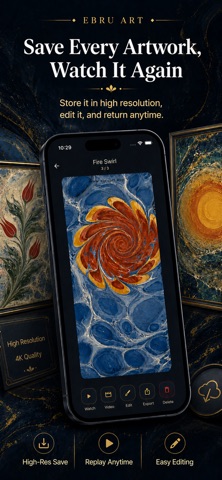
Watch it paint itself. Replay any artwork stroke by stroke, again and again, and see how it came to life.
Gallery quality images. Save your work in crisp, high resolution, ready to print or set as a wallpaper.
Shareable videos with sound. Export a smooth video of the whole performance, add music and gentle sound effects, then share it with friends.
A calming atmosphere. A soothing soundtrack and delicate sounds turn making art into a quiet daily ritual.
Classic patterns to explore. Battal, gel git, nightingale nest, tulips and more, the timeless motifs of the ebru masters.
No two prints are ever the same. Open the tray, let a drop fall, and watch where the water carries it. Your calm, colourful hobby is waiting.
Privacy Policy: https://ebruart.app/privacy/
Terms of Use: https://ebruart.app/terms/
Website: https://ebruart.app
Popular uses
- Keep a reviewable group of photos organized around an event or task.
- Prepare a separate delivery image while retaining an original you may need again.
How to get started
- Choose a small group of photos and review the access the app requests.
- Use the organization or editing functions described in the listing, checking selection and preview carefully.
- Review the saved result or library change before applying the same operation to a larger batch.
Common questions and problems
Some photos do not appear
Review the app’s photo-access selection and whether the originals are available locally. Start with a known accessible item.
A cleanup or edit affects the wrong item
Stop the batch, compare the selected items with the intended ones, and check the app’s supported recovery or undo behavior before continuing.
App details
- Category
- Entertainment
- Current version
- 1.5.0
- Store information checked
- Sep 30, 2026
Availability
Requires iOS 15.0. Availability and pricing may vary by region.