PDF Summarizer - Document Read
Create a summary to check against an original PDF.
View on the App StoreThis app is developed by SFByte.
Features and details from the App Store listing
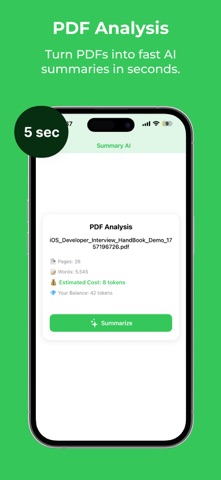
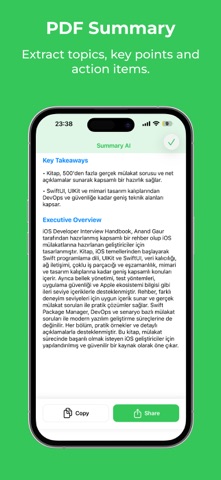
This app summarizes PDFs into clear, readable highlights so you can grasp the main ideas fast—without scrolling through pages. Import a PDF and get a concise summary, key points, and an easy-to-scan overview that’s great for studying, work reports, articles, and everyday reading. A smart way to read less and understand more.
Summaries are designed to be practical: focused on the core message, structured for quick scanning, and written in simple language. Whether you’re reviewing a long document before a meeting or turning lecture PDFs into study notes, you’ll save time and stay on track.
Key features:
- Summarize PDF documents in seconds
- Get key points, highlights, and a short overview
- Clean reading experience made for quick understanding
- Works great for school, business, and personal documents
- Simple import flow and lightweight interface
Credits system (how it works):
This app uses a credits-based model. Each summary generation uses credits, depending on the document length and the type of summary you choose. You can purchase credit packs inside the app and use them whenever you want—no expiration pressure from us. You’ll always see the credit cost before you generate a summary, so there are no surprises.
Download the app and turn long PDFs into clear, usable summaries—fast.
Privacy policy:
- https://www.zenbyte.app/privacy/summarai
Terms of use:
- https://www.zenbyte.app/terms/summarai
Popular uses
- Prepare a document for a recipient with clear page order and a descriptive filename.
- Keep a source copy and a separate checked delivery copy.
How to get started
- Choose the document task described in this app’s listing and open a copy of your source.
- Complete the supported conversion, annotation, or reading task; inspect small text and every required page.
- Save the result where you can reopen it and confirm the recipient’s format and size requirements.
Common questions and problems
The result differs from the editing preview
Reopen the saved file from its destination, confirm that it is the latest copy, and compare all pages before sending it.
A requested document operation is missing
Check the current listing and in-app feature screen. Related guides may cover another app or an iPhone method; they are not a promise that this app performs every operation.
App details
- Category
- Productivity
- Current version
- 1.0.0
- Store information checked
- Sep 30, 2026
Availability
Requires iOS 18.5. Availability and pricing may vary by region.