My Files: File Manager & Saver
Save attachments from other apps and organize them in one place.
View on the App StoreThis app is developed by SFByte.
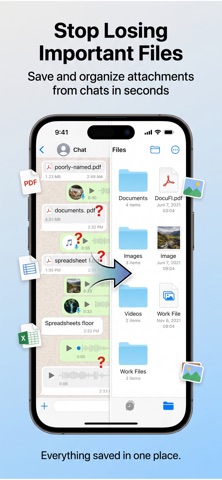
Features and details from the App Store listing
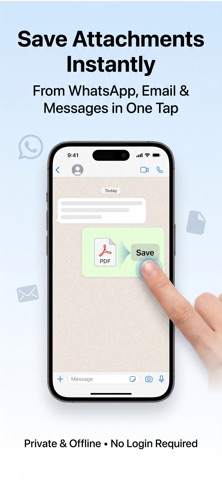
Save files from WhatsApp, Mail, Safari and any app — all in one place. Never
lose an important attachment again.
File Organizer captures files you receive across your apps and keeps them
organized, searchable, and secure. No sign-up required. Works entirely
offline.
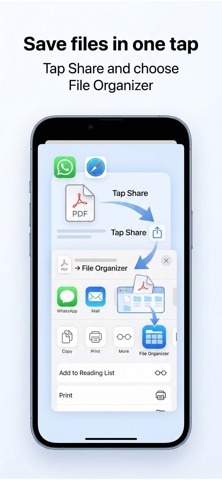
HOW IT WORKS
1. Open a file or attachment in any app
2. Tap the Share button
3. Choose "File Organizer"
That's it. Your file is saved and instantly searchable.
SAVE FILES FROM ANY APP
- WhatsApp photos, videos and documents
- Mail attachments (PDFs, spreadsheets, images)
- Safari downloads and web files
- Files app, Telegram, and more
- Save up to 10 files at once
FIND ANY FILE IN SECONDS
- Search by file name instantly
- Filter by type: PDF, Images, Documents, Archives
- Pin important files to the top
- See files grouped by Today, Yesterday, and older
ORGANIZE YOUR WAY
- Create custom folders
- Move files between folders with one tap
- Batch select to move, share, or delete multiple files
- View all files or browse by folder
SMART STORAGE TOOLS
- Storage Insights: See a full breakdown by category and size
- Smart Clean: Find and remove files you never opened
- Temporary Files: Set files to auto-delete after a set period
- Old file detection: Surface files older than 30 days
PRIVATE & SECURE
- Password-protect the app
- All data stays on your device
- No cloud. No account. No tracking.
FREE TO USE. PRO TO UNLOCK MORE.
Free:
- Save and organize files
- Search and filter
- Folder organization
Pro:
- Unlimited files (no storage cap)
- No file size limits
- Smart Clean and Storage Insights
- Priority support
- One-time purchase or subscription
Download File Organizer and stop losing files across your apps.
Privacy Policy: https://www.emzirmetakibi.com/smartfile/privacy.html
Term of use : https://www.apple.com/legal/itunes/appstore/dev/stdeula/
Popular uses
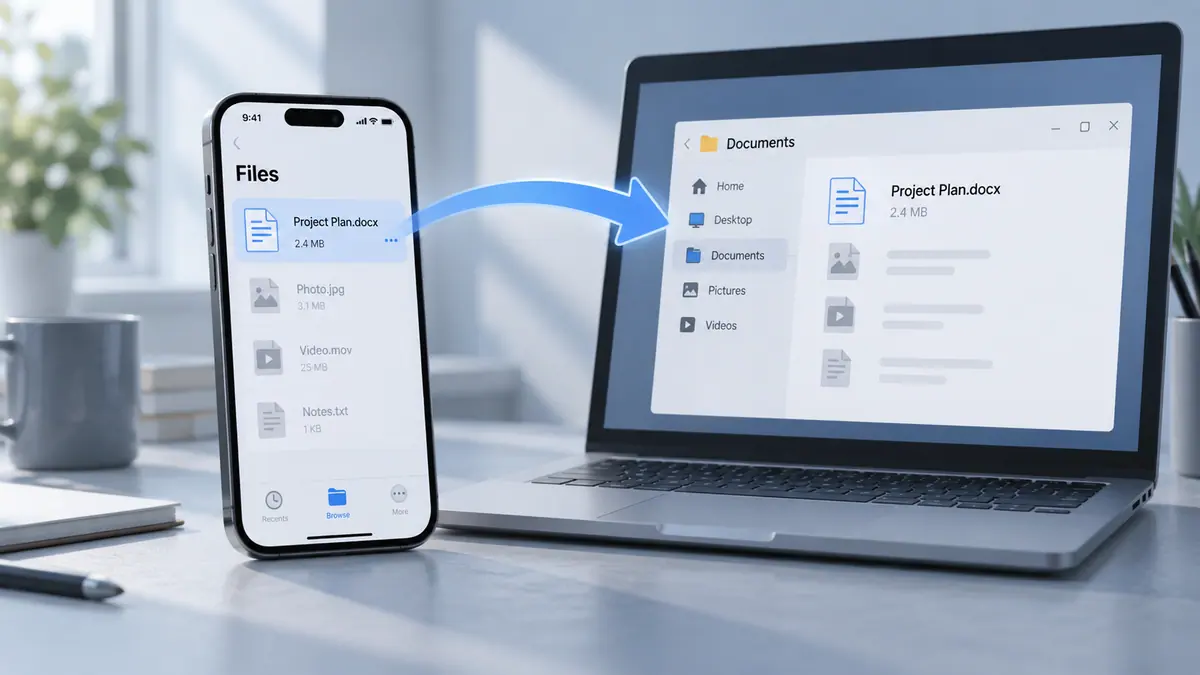
- Move a clearly named set of files to the device that needs them.
- Keep a verifiable project folder instead of several ambiguous copies.
How to get started
- Choose a small test file and the app’s supported source and destination.
- Complete the transfer or organization task and check the destination’s contents.
- Open representative files and compare counts before removing any source copy.
Common questions and problems
A transfer appears incomplete
Check the destination, file count, and accessible size. A progress indicator alone is not proof that every file is usable.
Several copies have similar names
Compare dates and contents, then use a consistent naming scheme. Keep uncertain originals until you know which result is complete.
App details
- Category
- Utilities
- Current version
- 1.0.1
- Store information checked
- Sep 30, 2026
Availability
Requires iOS 13.0. Availability and pricing may vary by region.