Reverse Audio Record Sound
Record a sound and play a reversed version.
View on the App StoreThis app is developed by SFByte.
Features and details from the App Store listing
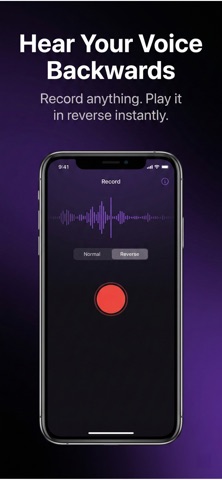
Reverse Audio lets you record your voice and instantly hear it backwards — fast, simple, and fully offline.
Whether you’re creating fun social media content, decoding hidden messages, or just experimenting with sound, Reverse Audio makes it effortless.
No complicated tools. No confusing controls. Just tap, record, and reverse.
HOW IT WORKS
• Record audio directly from your microphone
• Import audio files from your device
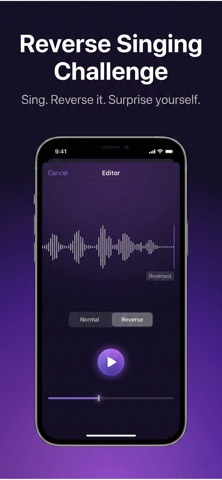
• Play your recording normally or in reverse
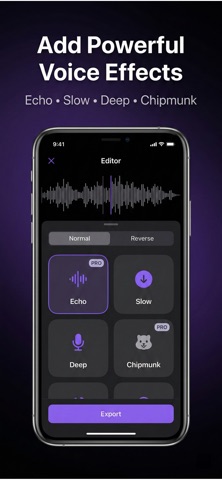
• Apply voice effects in seconds
• Export and share your audio instantly
That’s it.
FEATURES
• Instant reverse playback
• Echo, Slow-mo, Chipmunk, and Deep voice effects
• High-quality audio processing
• Clean, easy-to-use interface
• Fully offline — your audio never leaves your device
PERFECT FOR
• Social media creators
• Fun voice experiments
• Hidden message challenges
• Content editing
• Creative sound design
FREE & PREMIUM
The free version lets you record and reverse audio instantly.
Upgrade to Premium to unlock:
• Unlimited exports
• All voice effects
• No watermark
• High-quality audio processing
Subscription options include monthly and yearly plans. Cancel anytime.
PRIVACY FIRST
Reverse Audio works completely offline.
Your recordings stay on your device.
No accounts. No uploads. No tracking.
Download Reverse Audio and hear your voice from a different perspective.
privacy policy:https://www.emzirmetakibi.com/reverseaudio/privacy.html
term of use :https://www.apple.com/legal/itunes/appstore/dev/stdeula/
Popular uses
- Organize a local recording or audio file you have permission to use.
- Check a listening or editing result before relying on it away from your device.
How to get started
- Start with a supported local file or the input described in the listing.
- Preview the relevant listening or editing controls at a comfortable level.
- Confirm the saved or prepared result using the destination where you intend to play it.
Common questions and problems
A file does not play
Check that the full file is available and supported. A streaming-service cache is not necessarily an ordinary transferable audio file.
The result has unexpected timing or sound
Compare with the original and inspect the actual saved result, rather than relying only on the project preview.
App details
- Category
- Music
- Current version
- 1.0
- Store information checked
- Sep 30, 2026
Availability
Requires iOS 13.0. Availability and pricing may vary by region.