Volume Booster: Bass&Equalizer
Adjust audio levels and equalizer settings for your media.
View on the App StoreThis app is developed by SFByte.
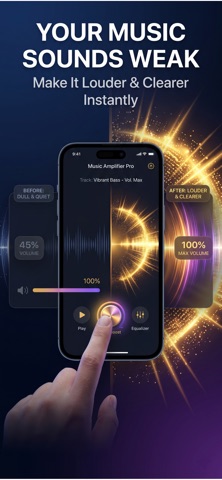
Features and details from the App Store listing
Enhance audio in your videos, adjust sound levels and customise your listening experience with simple audio tools.
This app is an easy-to-use audio utility that helps you adjust sound levels in videos, apply equaliser presets and improve overall audio clarity directly on your device.
If a video sounds too quiet or certain frequencies are difficult to hear, the app provides simple tools to adjust and improve your media audio.
All processing happens directly on your device with a clean and simple interface.
Adjust Video Audio
Some videos recorded on phones or shared through messaging apps may have low or uneven sound levels.
This feature allows you to adjust the audio level of imported videos so voices and sounds are clearer and easier to hear.
• Import a video from your library
• Adjust audio levels with simple controls
• Preview the result before saving
• Export the processed video
• Share the video easily
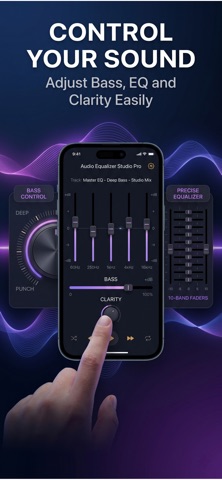
Bass Adjustment
Adjust low audio frequencies and customise your sound.
• Modify bass levels
• Adjust audio balance
• Simple slider controls
• Quick audio adjustments
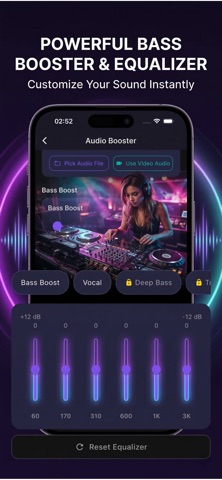
Equaliser
Customise audio frequencies using the built-in equaliser.
Choose from multiple presets or manually adjust frequency bands to personalise your sound.
• Equaliser presets
• Adjustable frequency bands
• Simple sound customisation
Speaker Cleaner
Play specific sound frequencies designed to help remove water or dust from the device speaker.
• Speaker cleaning sound
• Simple one-tap process
• Quick and easy to use
Simple Interface
• Clean and minimal design
• Fast audio processing
• Easy-to-use controls
• Works directly on your device
Premium Features
Unlock additional audio tools and remove ads.
• Access all equaliser presets
• Extended audio adjustment options
• Ad-free experience
Privacy & Terms
Privacy Policy
https://www.emzirmetakibi.com/volumeboost/privacy.html
Terms of Use
https://www.apple.com/legal/internet-services/itunes/dev/stdeula/
Popular uses
- Organize a local recording or audio file you have permission to use.
- Check a listening or editing result before relying on it away from your device.
How to get started
- Start with a supported local file or the input described in the listing.
- Preview the relevant listening or editing controls at a comfortable level.
- Confirm the saved or prepared result using the destination where you intend to play it.
Common questions and problems
A file does not play
Check that the full file is available and supported. A streaming-service cache is not necessarily an ordinary transferable audio file.
The result has unexpected timing or sound
Compare with the original and inspect the actual saved result, rather than relying only on the project preview.
App details
- Category
- Music
- Current version
- 1.0.1
- Store information checked
- Sep 30, 2026
Availability
Requires iOS 16.0. Availability and pricing may vary by region.