How to Fit a Landscape Video into a Portrait Frame
Choose a crop or borders instead of stretching people and text.
Compare the shapes
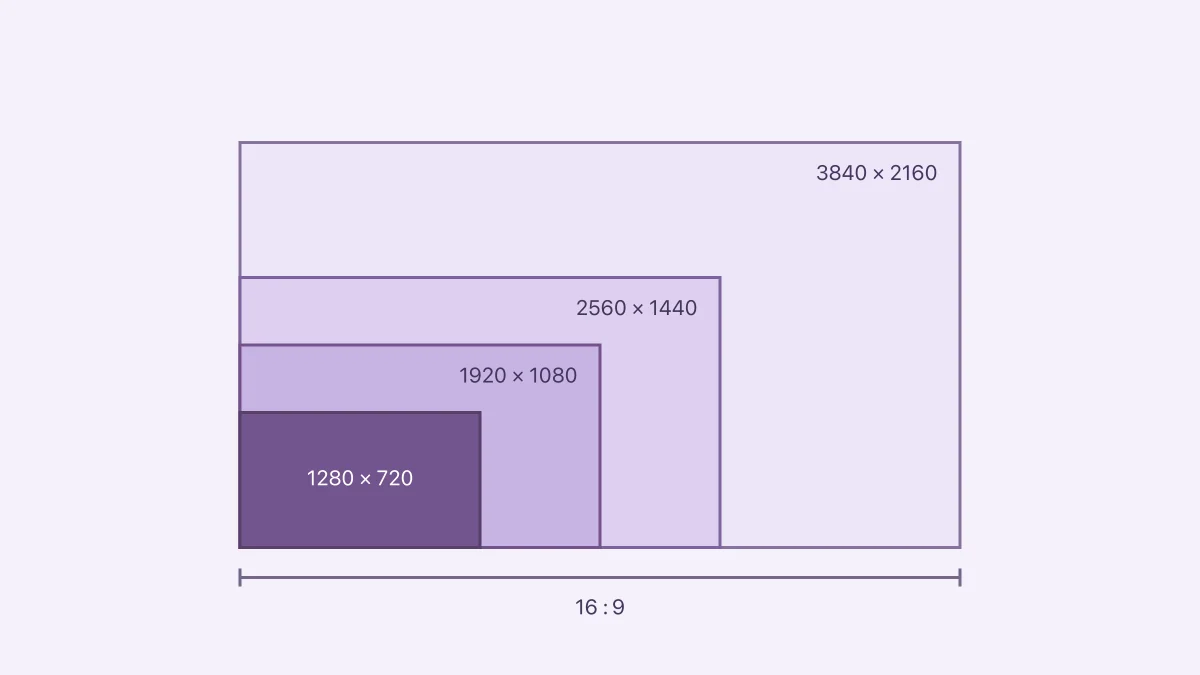
A landscape 16:9 recording and a portrait 9:16 frame have very different proportions. Filling the portrait frame requires cutting away much of the landscape image. Keeping the entire width requires space above and below it. Stretching distorts the subject and is rarely a useful compromise.
Follow the important area
Before cropping, watch the entire clip and note where the subject moves. A crop that works on the opening frame can cut off a face later. For a screen recording, check whether buttons and captions stay visible. If the useful material spans the whole width, borders may communicate the content better.
Use Aspect Ratio Calculator to plan dimensions, and check the export controls in your editor. The calculator supplies geometry; it does not automatically track a moving subject.
Inspect the destination
Play the saved file on a small screen and consider any controls or captions the destination overlays. Keep the original project and source so you can make a different crop later. A portrait delivery copy should not replace the only wide version of a recording you may want to reuse.
Sources & further reading
- Apple · Checked Oct 1, 2026