How to Share an iPhone Photo Without Location Metadata
To share an iPhone photo without its stored location, review the sharing options in Photos and turn Location off before sending where that control is available. You can also remove location information from an individual photo using the supported location-adjustment controls. Check the exact copy and sharing route you plan to use. Removing GPS metadata does not hide a street sign, reflection, house number, or other visual clue in the picture, and it does not recall copies already sent. Treat metadata and visible identifying information as two separate parts of your privacy review.
Inspect both the information and the scene
Open the photo’s information view and see whether a location is attached. Then look at the image itself. A map-free file can still reveal a school uniform, storefront, license plate, or recognizable view from a window. Decide which of those details should reach the recipient before editing anything.
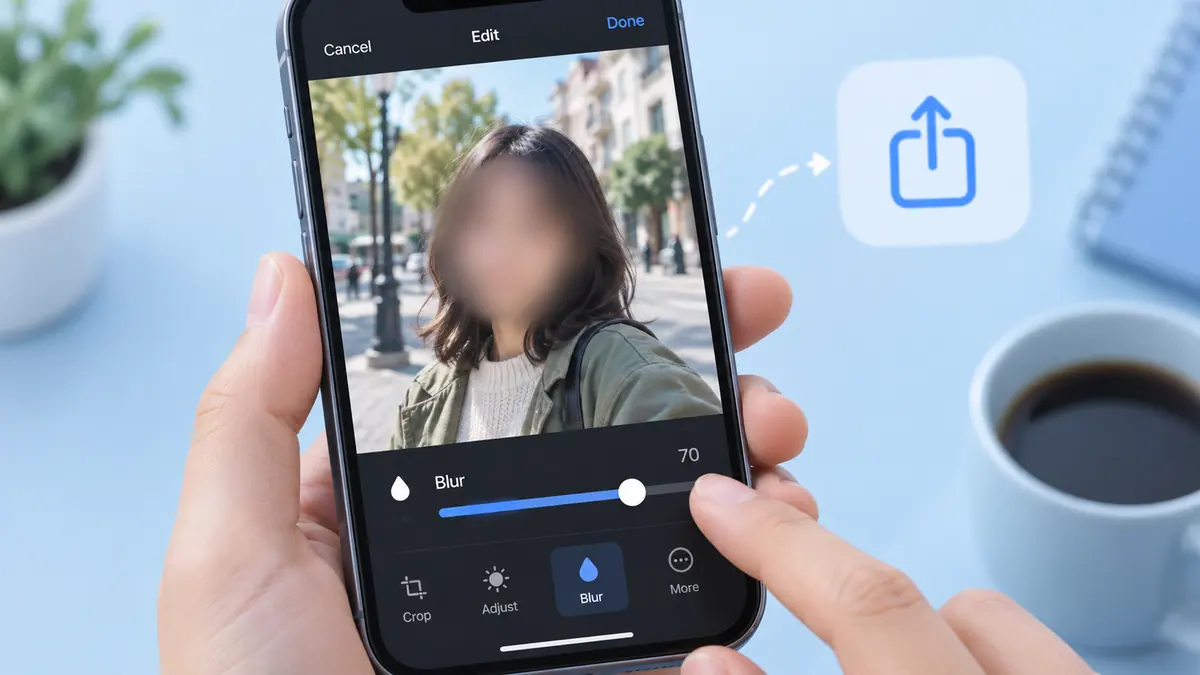
For visible identifying details, use the face-blurring guide or crop the scene appropriately. A blur effect is not a metadata-removal tool, and metadata removal is not a guarantee of anonymity. Choose each operation for the information it actually changes.
Use Photos sharing controls for this delivery
- Select the photo or photos in Photos.
- Open the share sheet and inspect Options where available.
- Turn off Location for the sharing action.
- Check any displayed indication that location is not included.
- Choose the intended destination and inspect the received or exported copy when practical.
Apple’s personal-safety guide documents this workflow. Menu labels can vary with iOS version and sharing destination. Do not assume a setting in one app applies to a later export from another app. Repeat the check when the route changes, particularly if you switch from messaging to a cloud link or original-file export.
Remove a stored location when that is your intention
Apple also describes adjusting an individual photo’s location to No Location. This changes a different part of the workflow from temporarily excluding location in a share action. Consider whether you still want location-based organization in your own library before removing it there.
If you want future captures to omit location, review Camera’s location permission. That decision can affect location-based organization for new pictures. It does not clean metadata from images you already captured or from copies already stored elsewhere.
Inspect a delivery copy without oversharing
For a private check, export to a controlled destination or use a trusted recipient. Look at the exported file’s information rather than only the original in your library. A service may alter metadata during upload, but relying on an undocumented stripping behavior is less predictable than selecting appropriate controls yourself.
If you use Image Compressor to produce a smaller delivery image, inspect its output as a new file. This tool is intended for resizing and JPEG encoding, not as a comprehensive metadata-anonymization service. Do not make an irreversible privacy decision based on a smaller byte count or a changed extension.
Keep the useful original separate
A location-free sharing copy and a private original can serve different purposes. Name and store them so you do not attach the wrong one. The photo sharing checklist helps with orientation, selection, and final-file checks alongside privacy.
For a batch, inspect more than one picture. Images may have come from different cameras or previous exports, so their metadata can differ. Also check whether an album title, filename, or message text reveals the location you removed from the file.
Practical questions
Does turning off Camera location fix old images?
No. Review the existing images and their copies separately. A future permission setting is not a retroactive edit of your library or of recipients’ files.
Does blurring a face remove GPS information?
Do not assume that it does. The blur changes visible pixels. Check metadata with the appropriate controls and review the result of that particular export.
Can I undo a photo I already shared?
You may be able to revoke a link or delete a post within a service’s controls, but that does not guarantee removal of downloaded copies. Make the privacy check before the first share whenever possible.
Is removing location sufficient for a sensitive image?
It may be only one part of the decision. Consider the scene, people, surrounding context, and who can forward the file. Sometimes sharing a narrower crop or a written description is more suitable than sharing the picture.