How to Blur a Face Throughout a Video
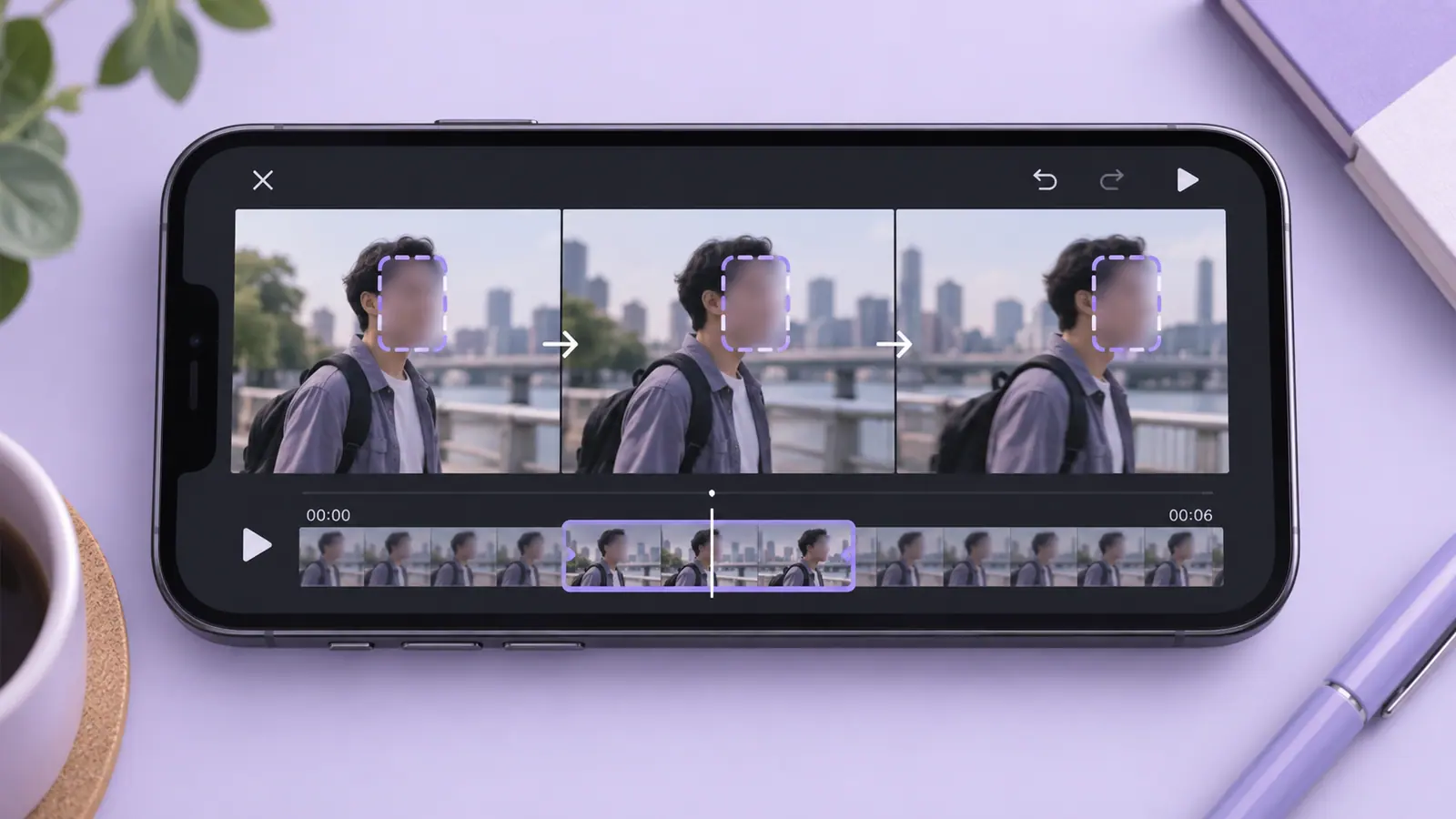
To blur a face throughout a video, cover the face for every part of the clip in which it appears, adjust the mask as the subject moves, and inspect the exported result rather than only the editor preview. A stationary blur over the opening frame is not enough for a moving person. Use an editor that supports the controls your clip requires; do not assume automatic tracking unless the app documents it. Review reflections, name badges, voices, and other identifying details too. Blur can reduce visible detail, but it is not a universal guarantee of anonymity.
Decide whether blur is sufficient for this clip
A face may be recognizable from context even after an effect is applied. Consider clothing, a distinctive setting, spoken names, reflections, and other people in the frame. If a strong privacy outcome matters, removing a shot, cropping it, or using an opaque cover may be more appropriate than light blur.
Watch the whole source before editing. Note when the person enters, leaves, turns sideways, moves behind another object, or returns after a cut. This short map of the clip helps you identify places where an effect can miss a frame.
Cover the moving subject deliberately
- Keep the source and work on a separate editing copy.
- Select the face or region you need to conceal.
- Adjust the mask’s size, position, and effect strength.
- Set the interval during which the mask is visible.
- Reposition or divide the edit as the subject moves, using controls the editor actually supports.
- Export a new video and inspect the entire delivery copy.
Video Blur & Face Censor is an SFByte option. Its recorded listing describes adjustable blur position and size, pixelation, and timeline control. Those features do not establish automatic face tracking. Check the current version and use a workflow that can keep the region covered throughout your particular clip.
Inspect transitions and difficult frames
Pay particular attention to the first and last visible frame of the face. Scrub slowly around scene cuts, fast movements, and moments when the face approaches an edge. A mask can look adequate during ordinary playback while exposing a clear frame during a pause.
Review the result at a useful size, not only as a thumbnail. If the effect is too weak, return to the source or editable project and adjust it. Repeatedly blurring an already compressed copy can make evaluation harder without reliably solving the exposure.
Consider the audio and surrounding information
A hidden face does not remove a spoken name or an address read aloud. Review the sound and decide whether it should remain, be edited, or be removed using an appropriate editor. Listen to the exported result to confirm the intended audio behavior.
Text in the scene deserves its own check. A name badge or document may remain readable even if the face is covered. For still images, blurring a face in a photo covers the same distinction between one effect and the complete context. The private screenshot checklist is useful for identifying small interface details in a screen recording.
Make the final sharing copy
Once the privacy edit is complete, choose a delivery format and size. Compression should not be used as the mechanism for hiding a face; inspect the actual privacy effect first. The video compression guide explains how to make a smaller copy without overwriting the source.
Open the exact file you plan to attach. An editor can leave both original and edited versions in a library, and their thumbnails may be similar. Give the delivery copy a clear name and confirm it is the one selected by the sending app.
Questions before sharing
Can I blur only the first frame and let the player handle the rest?
No. The exported video needs the intended treatment for every affected frame. Verify whether your editor applies a fixed region, a manually adjusted region, or documented tracking.
Is stronger blur always irreversible?
Do not make that assumption. The source, effect, surrounding information, and recipient’s access all matter. Choose a more suitable concealment method when the consequences of identification are significant.
Can I restore the original face later?
Keep a private source or editable project if you need an original. A flattened exported effect is not a reliable reversible editing workflow, and the original should not accidentally accompany the public delivery copy.